What changed in sic, and what you can now do with it. Newest first.
The examples come from sic itself, run on a fictional store, Nordhavn Outdoor. The answers are Claude’s own, through the sic connector.
Edition 23 Oct 202619 changes in 9 stories
In your Claude
Analyse your A/B tests yourself, in your own Claude
Your Claude can now read every test sic runs on your store: each order with the version the shopper saw, and the visits, add to baskets and checkouts per version, day by day. You no longer wait for our report to ask your own questions.
You ask Claude: Did the size guide work better on mobile or on desktop?
What you can do now
Split a result your own way. By device, by channel or by day, as in the answer here.
Bring your own numbers. Join the orders with your returns or product margins on the order ID, and see whether a change still pays.
Check our figures. Work out the result again from the raw counts, or build the report your management asks for.
Rolling out: the snippet also tells your own GA4 and Shopify analytics which version each visitor saw. It reaches your store with the next snippet update.
Short answer: it helped on both, and neither device clearly did better. Desktop looks a bit ahead on add to basket, but the gap is too small to trust.
Add to basket
Without guide
With guide
Change
Desktop
7.91%
9.12%
about +15%
Mobile
5.96%
6.63%
about +11%
Orders per device and why not to pick a winner, left out here
One thing to keep in mind: across all visits, revenue per visit stayed flat (−0.3%). There were more orders, but the average order was smaller: about 1,790 kr without the guide and about 1,680 kr with it.
Example storeClaude splits the test by device on its own. Shortened where marked.
The next questionA size guide can mean smaller orders but fewer returns. Give Claude your returns, and it joins them on the order ID.
In Trello and your Claude
Your Trello card now keeps itself up to date
Keep planning in Trello. Link a card to a task from your own Claude, and the card shows where the change stands, without anyone moving it.
You ask Claude: Link this Trello card to NORD-47
What you can do now
Keep your board. Your backlog and priorities stay in Trello, where your team already works.
See status on the card. Its newcommerce field follows the task, from spec to live.
Link while you talk. A new card or one you already have, to a new task or an existing one, with no copy and paste.
siclink_trello_card
The Trello card is linked to NORD-47. The newcommerce field on the card shows where the task stands, and the card has a link to the task.
Reply textThe sentence sic sends your Claude when a card is linked. Shown as text, not run on the example store.
In the portal and your inbox
Every message now carries a name
You see who wrote each message: a person at newcommerce by name, or sic’s AI and the job it was doing.
What you can do now
Reply to a person. Answer a notification e-mail, and your reply goes to the person who wrote it, not to a shared inbox.
Tell people from the AI. See at once whether a person or sic’s AI asked you something, and what the AI was working on.
Know who you work with. On each task, the messages show which person at newcommerce you are talking to.
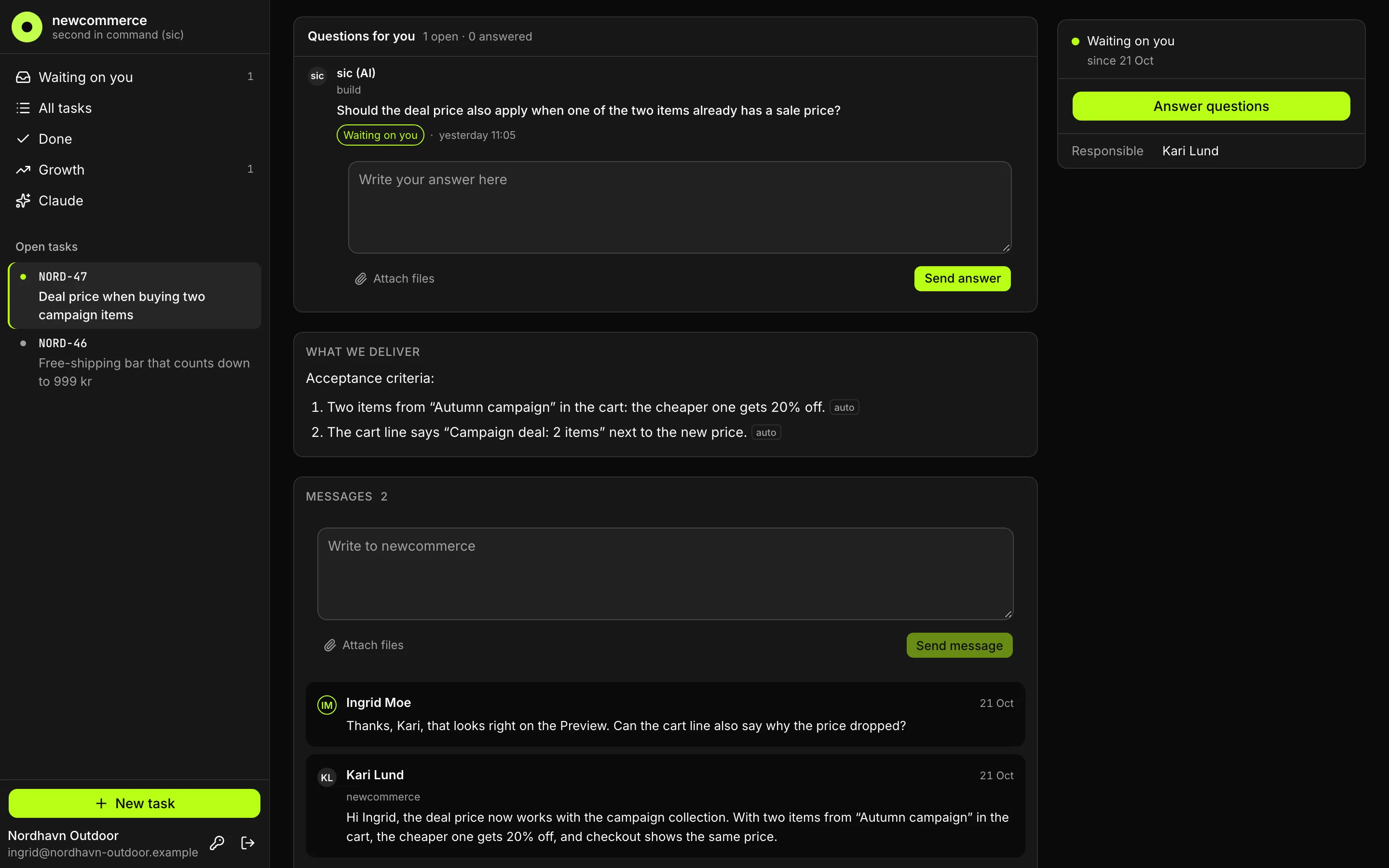
Example storeA question from sic (AI) at work on the build, and a message from a person at newcommerce.
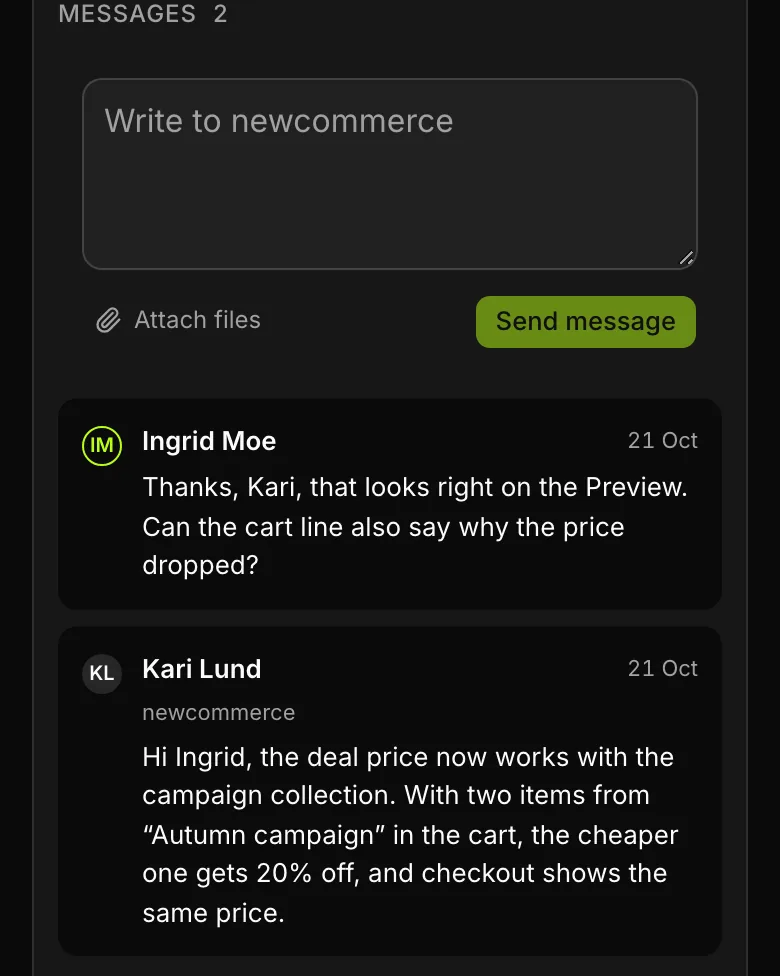
Example storeA message from a person at newcommerce, signed with her name.
In the portal
See what a task from Growth is expected to earn
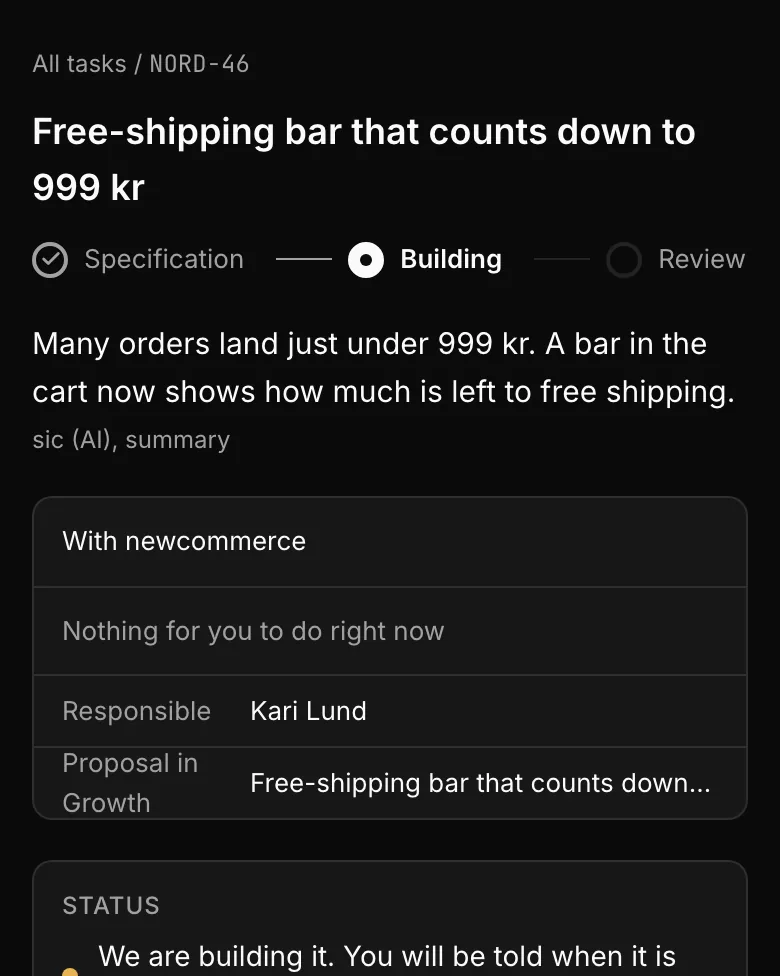
When a proposal in Growth becomes a task, the two now link to each other. One click takes you from the task to the proposal and its estimate, and back.
What you can do now
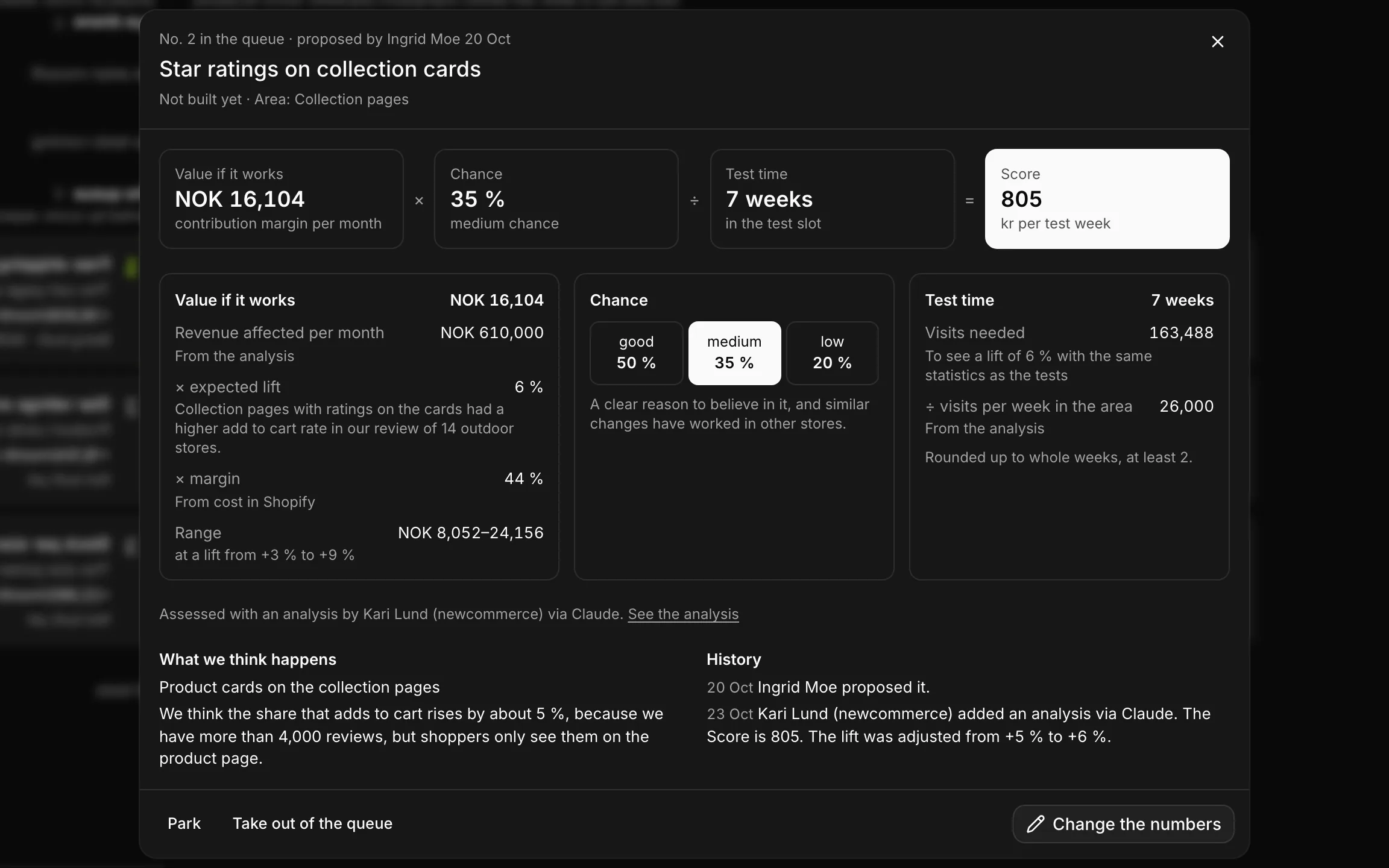
Keep the reason in view. While the task is built, see what it was expected to earn, how likely it was to work and how long it needs to test.
Follow an idea through. From a proposal in Growth, open its task and see how far it has come.
Hold the result up to the plan. When the task’s test ends, compare what it did with what the proposal expected.
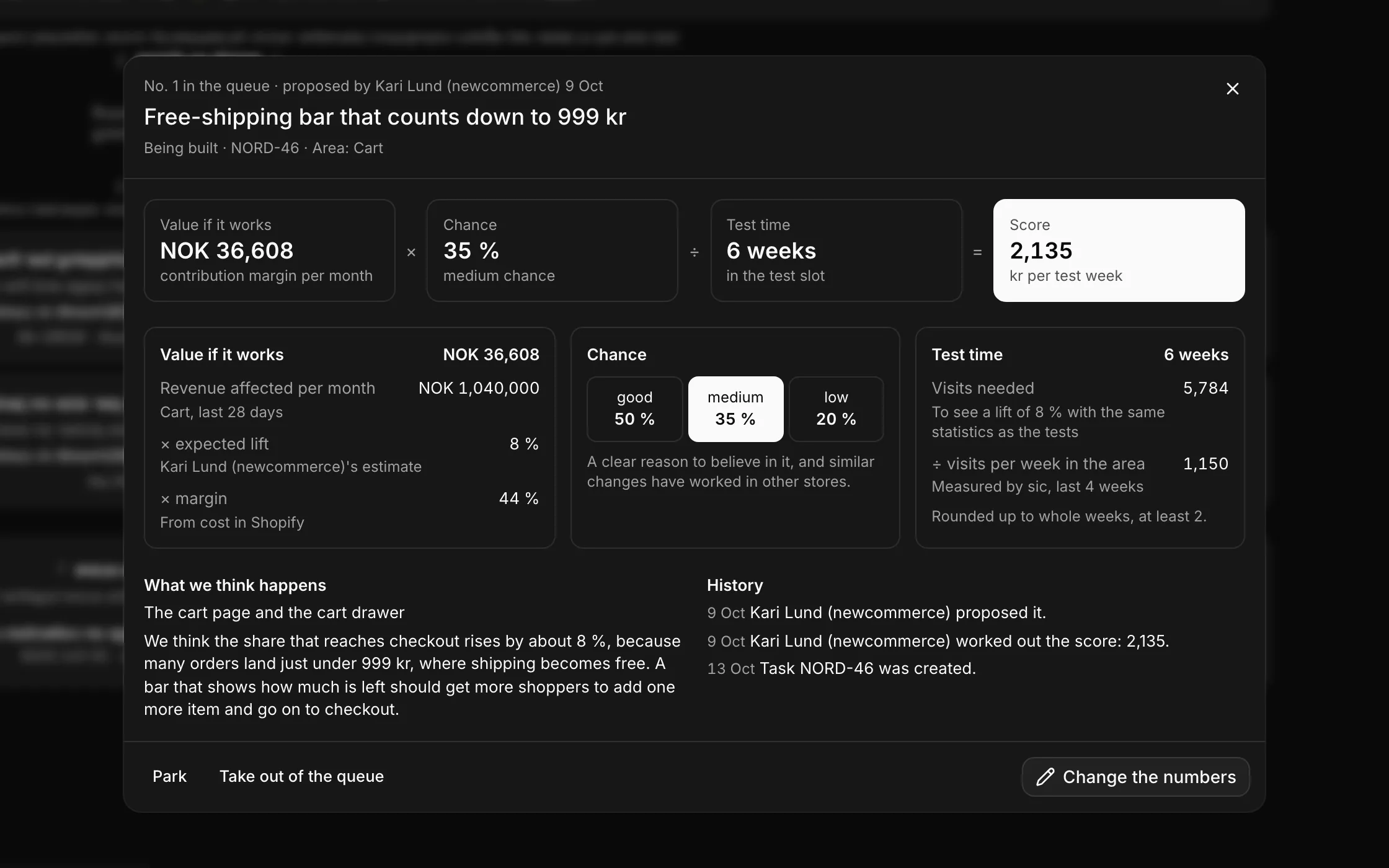
Example storeThe proposal behind task NORD-46, with its estimate. On the task, the row Proposal in Growth leads here.
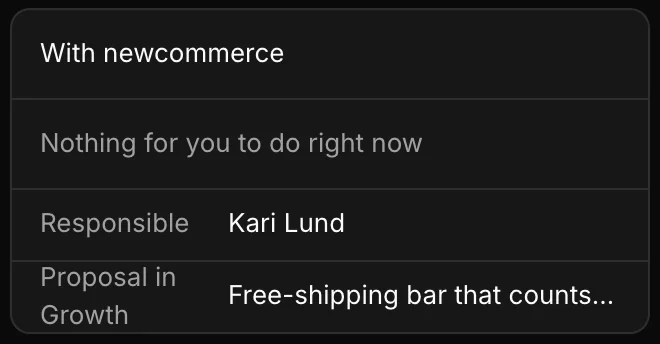
Example storeThe task names the proposal it came from.
In Growth
See the analysis behind a Growth estimate
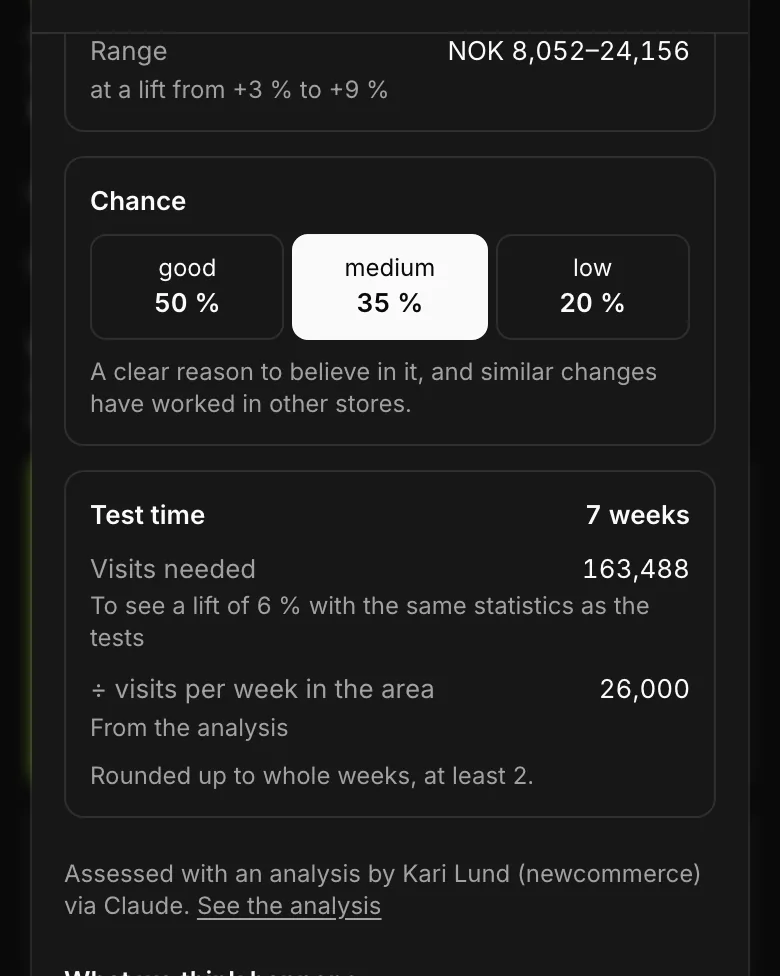
When we assess a proposal in Growth with an analysis, the proposal now links to that analysis and shows its value as a range in kroner, from a low to a high lift.
What you can do now
Check the reasoning. Open the analysis from the proposal and read what the estimate rests on.
Plan with a range. See what the change is worth at a low and at a high lift, on the example store 8,052 to 24,156 kr in margin a month.
Know who assessed it. The proposal’s history names the person at newcommerce who added the analysis, and when.
Example storeA proposal that Kari Lund assessed with an analysis: the value as a range, and the link to the analysis.
Example storeThe range and the link to the analysis, on a phone.
In your test results
When a test’s split is off, you see no misleading numbers
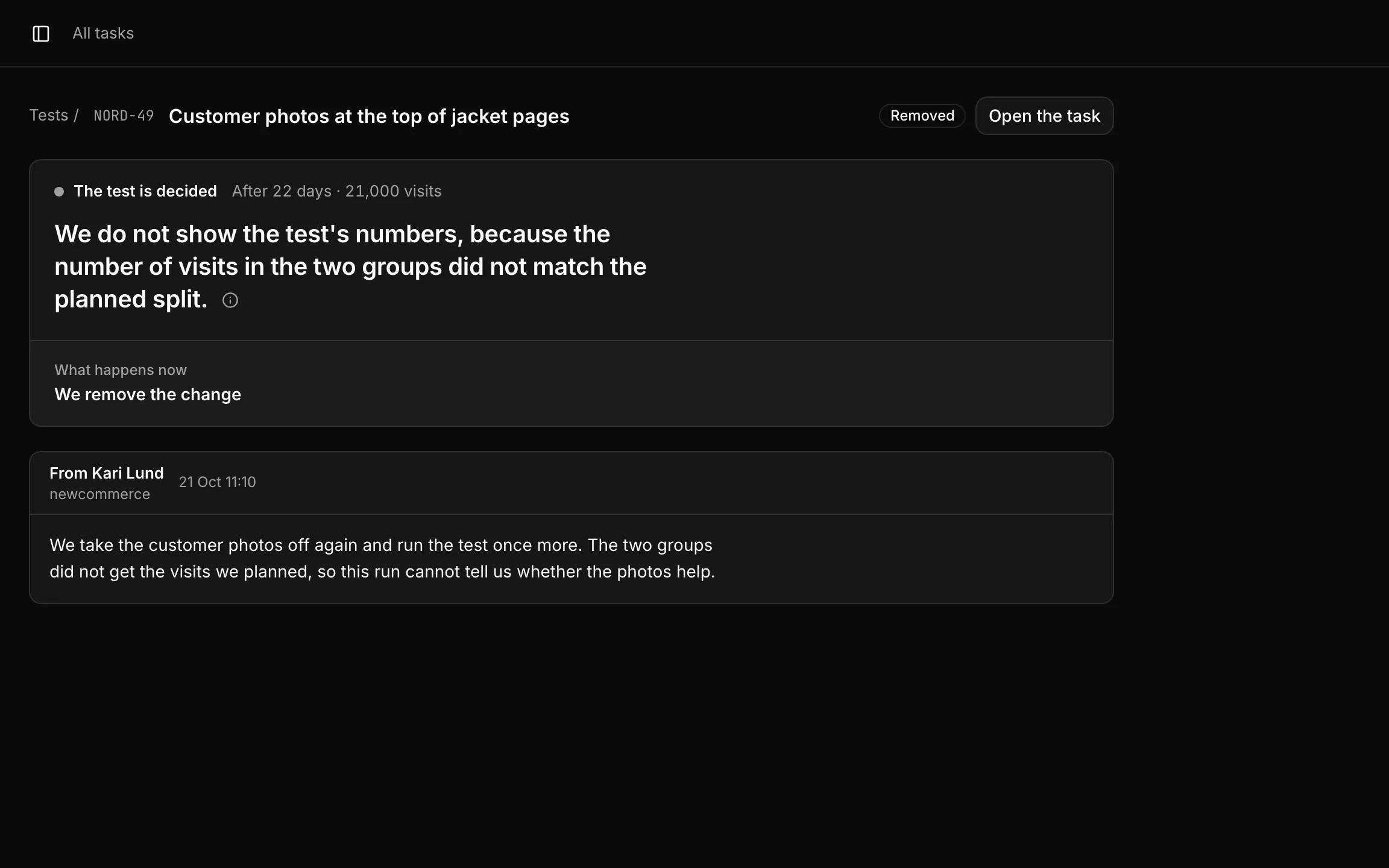
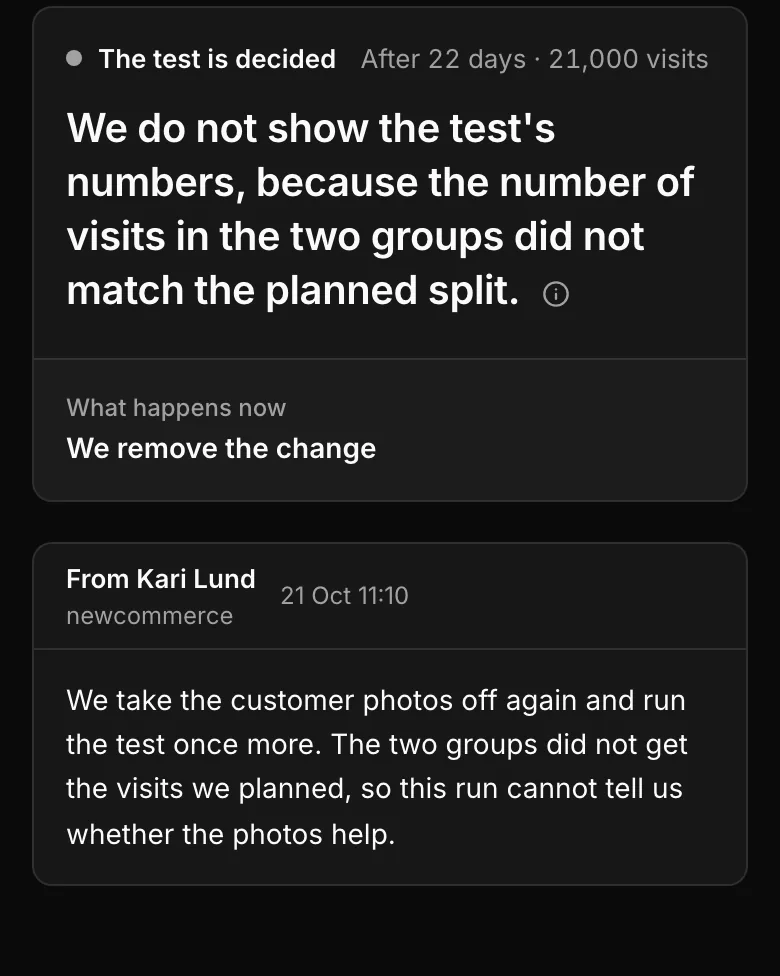
A test sends half of the visits to each version. If the two groups end up clearly uneven, sic now says so and recommends nothing. When such a test is decided, its numbers stay out of the report, the e-mail and the note.
What you can do now
Avoid a wrong call. A version that only looks better because its group got other visits never gets a recommendation.
Know why there is no result. The report says in one sentence that the groups did not match the planned split, and what happens next.
Trust the result you do get. When a test ends with a result, the split check found its groups at the planned size.
Rolling out: the snippet counts each visit for the version sic drew for it, before the shopper is sent on to that version, so no visits get lost on the way. Your store gets it when its snippet is next updated.
Example storeA test whose groups did not match the planned split: no numbers, and a note on what happens next.
Example storeThe same report on a phone.
In the portal
Know what each task is about at a glance
A new task’s title now names the problem you see, or keeps your own heading. Under each title, one or two sentences say what is wrong today and what will be different.
What you can do now
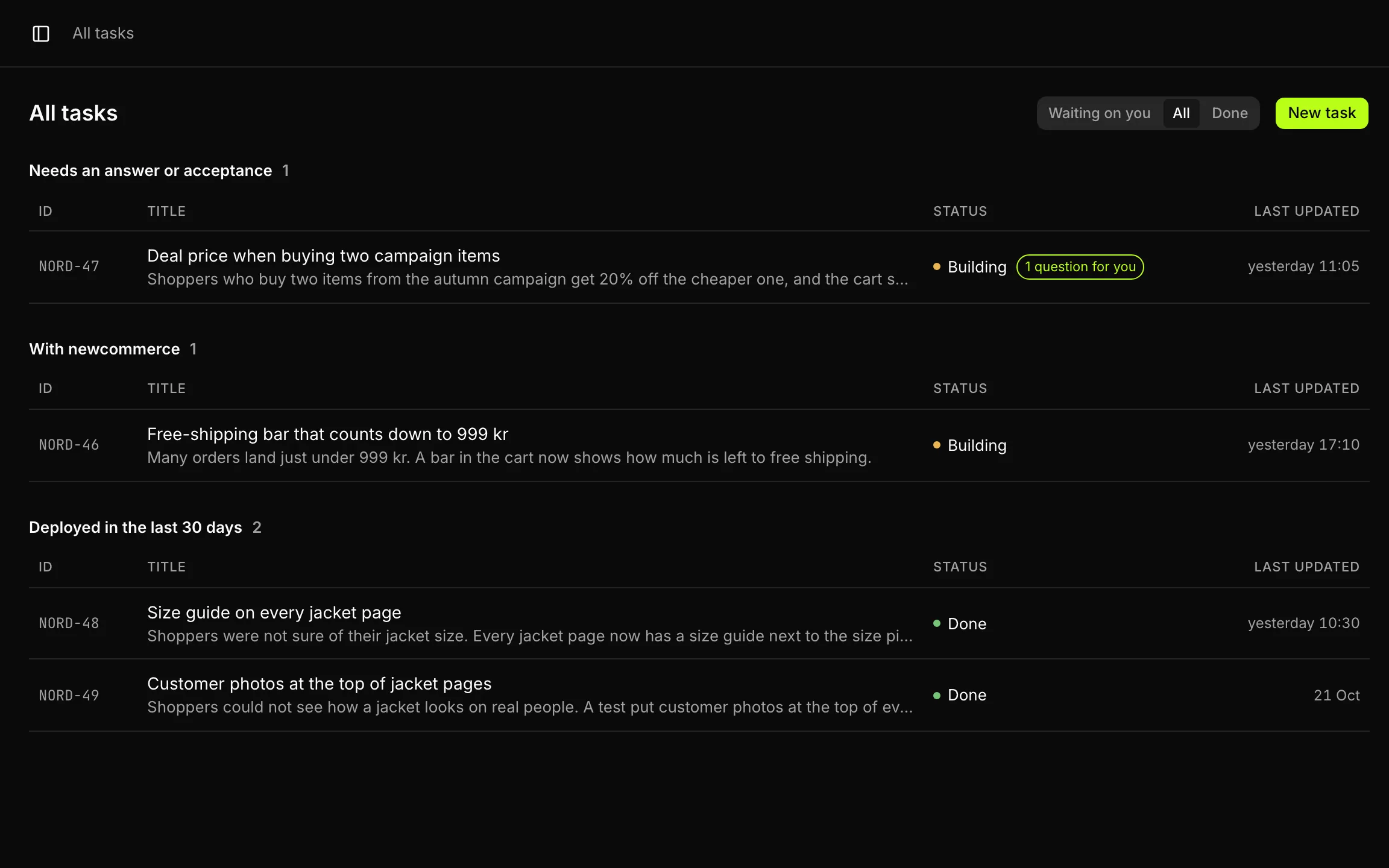
Scan your list. Each task in the list has a second line that says what it changes.
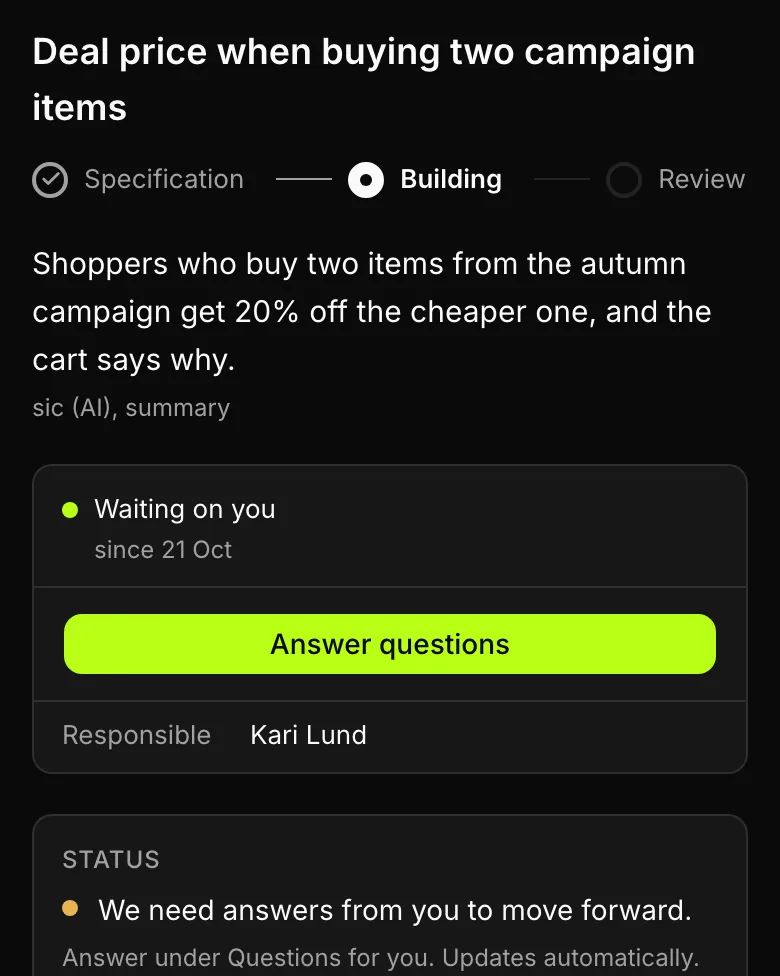
Brief a colleague fast. The title and the summary under it explain a task without the spec.
Keep your own words. When your heading already names the problem, the task keeps it.
Example storeEach task in the list has a line under its title that says what it changes.
Example storeOn the task page, the summary sits right under the title.
When you send a task
Send in a task with fewer questions back
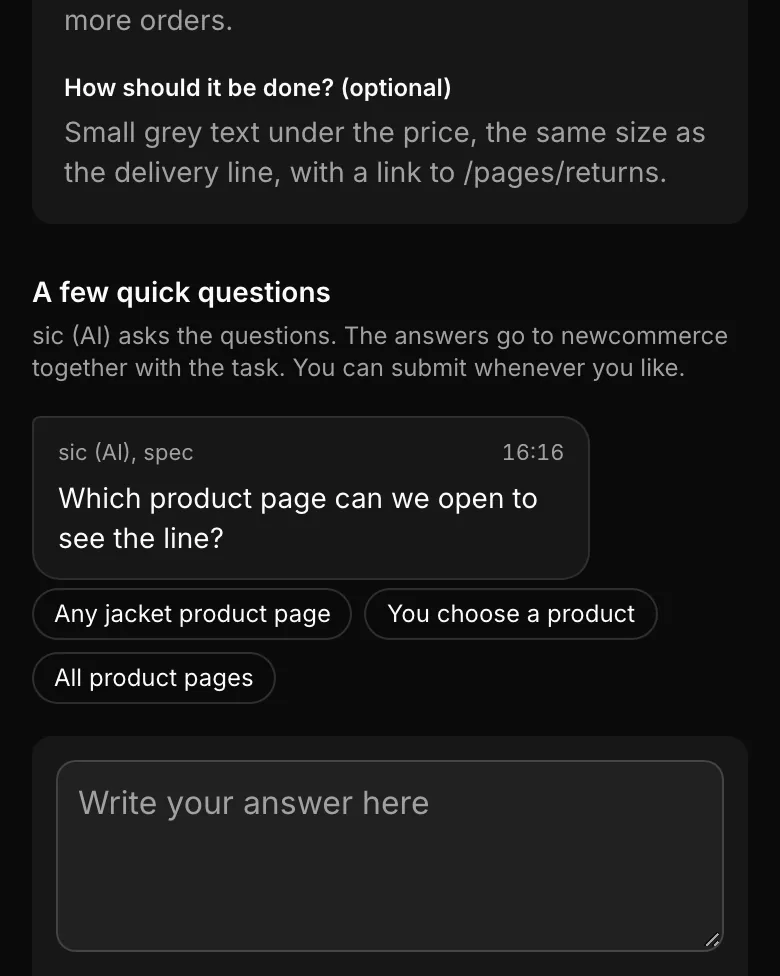
When you send a new task, sic’s AI now reads your whole form and asks only what is still missing. A form that answers everything goes straight to the summary.
What you can do now
Write it once. The AI reads the whole form, also long descriptions, and does not ask for what you already wrote.
Leave a choice to us. Answer “You choose”, and the point counts as answered.
Skip the obvious. It never asks what must stay the same. It writes that into the criteria itself.
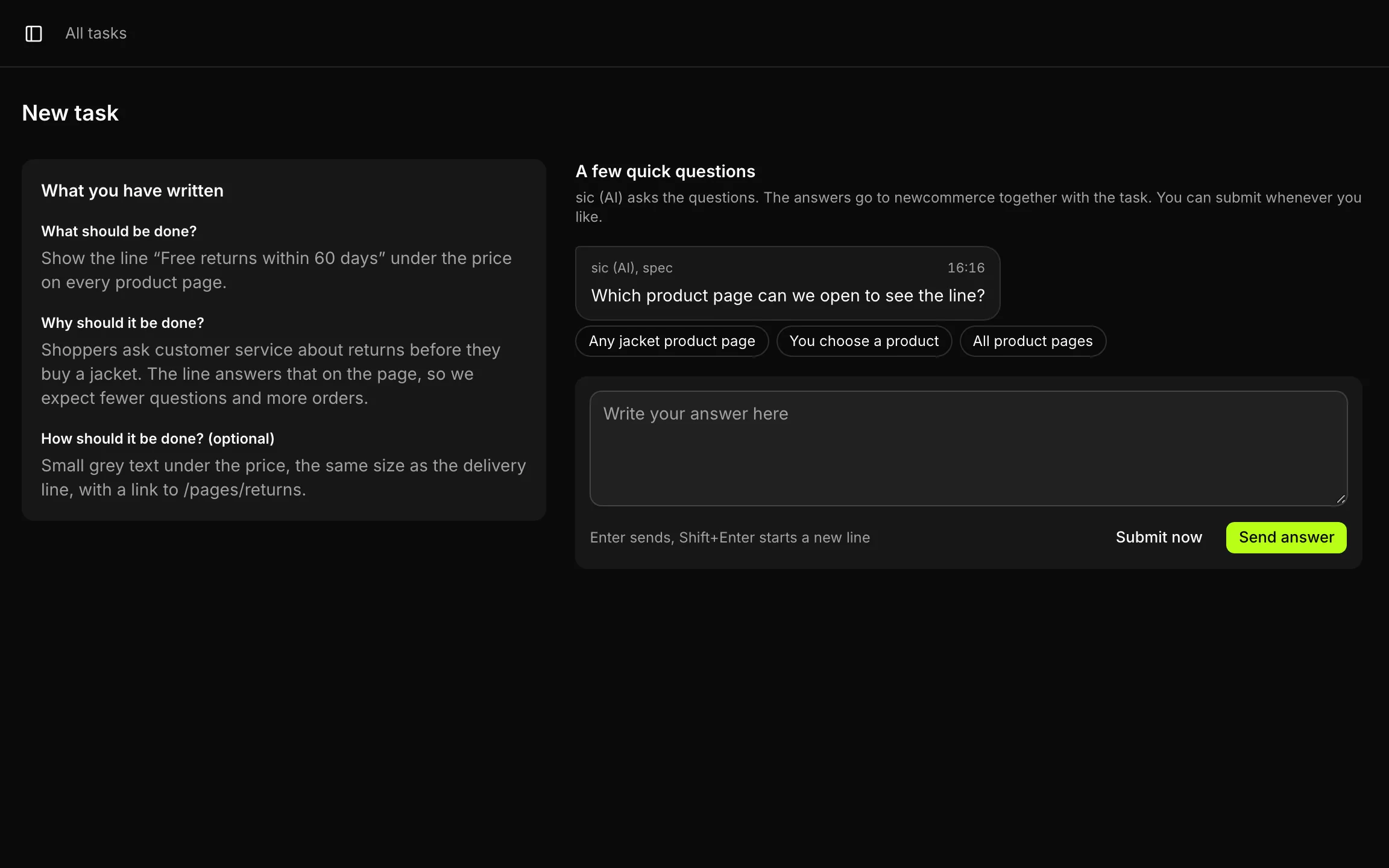
Example storeThis form left out which page to check, so it gets one question, with “You choose” as one of the answers.
Example storeThe one question, with answers to tap.
In your test results
Read each test in one sentence, with its worth in margin
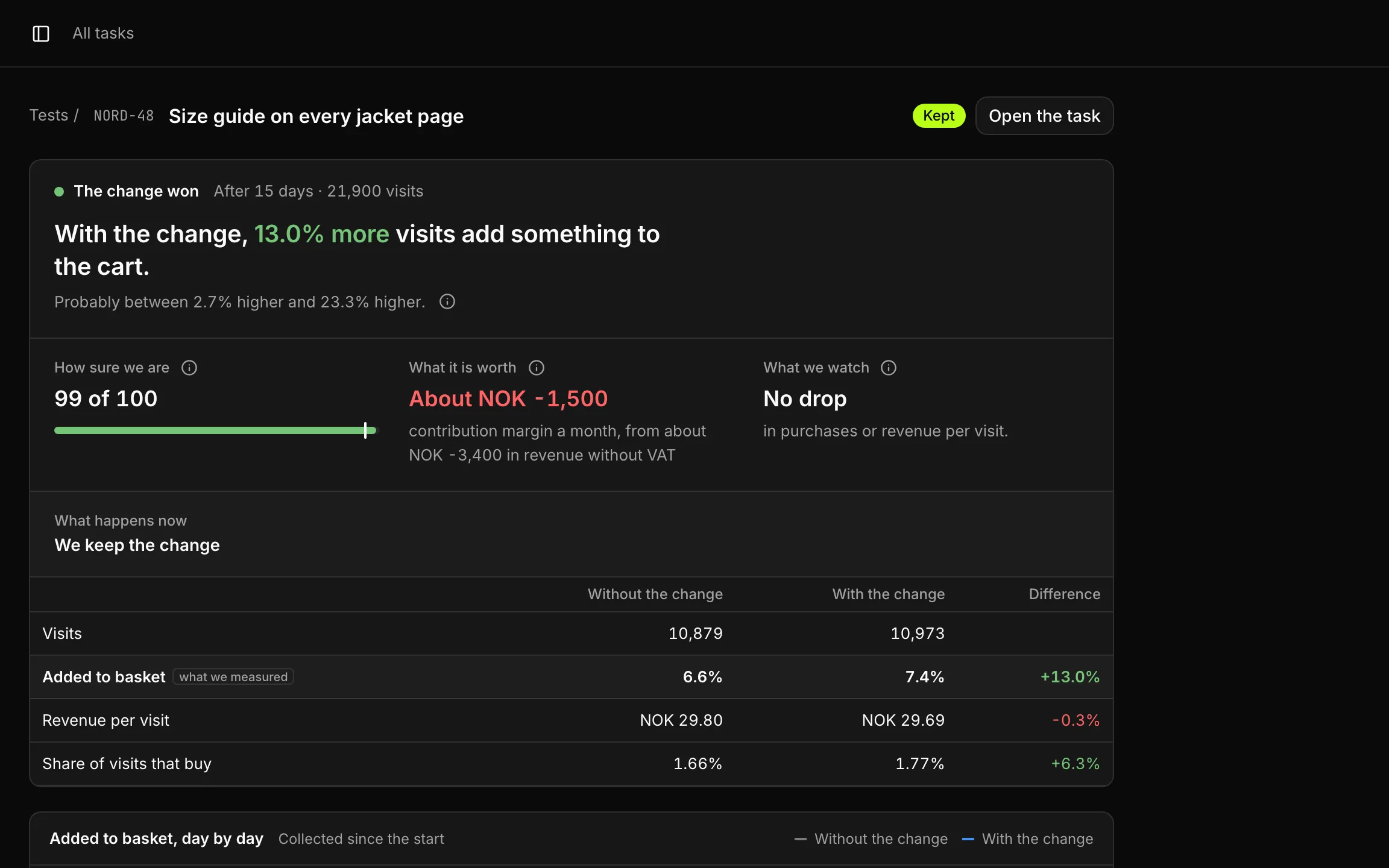
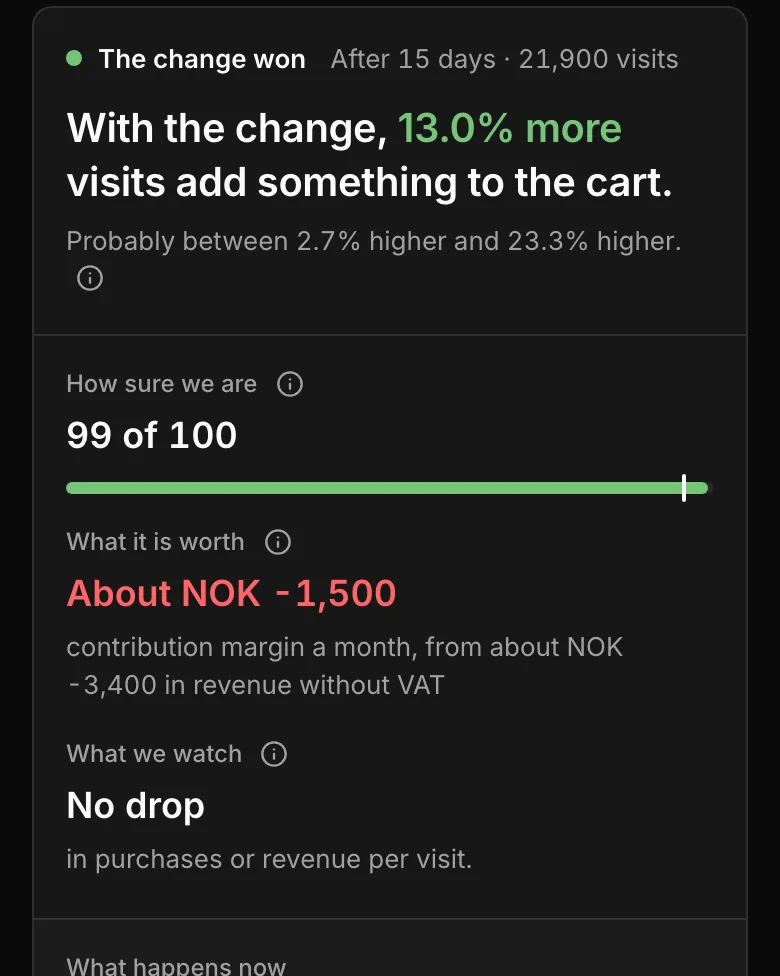
Every test report now opens with one sentence about the change and four answers: how sure we are, what it is worth, what we watch and what happens now. When sic knows your margin, the worth is contribution margin, with the revenue under it.
What you can do now
Catch a win that does not pay. A change can lift add to basket and still lose margin. The worth shows it, as in the example here.
Compare with the plan. When sic knows your margin, the worth uses the same basis as the estimate in Growth, so you can hold the result up to what the proposal expected.
Get an answer when it is clear. From day 7, sic recommends as soon as a result is 95 % likely and the risk of the choice is small.
Example storeThe size guide won on add to basket, and the report also shows its worth: a margin of about minus 1,500 kr a month.
Example storeThe same report on a phone opens with the sentence and how sure we are.
Earlier changes
Growth: a ranked queue of ideas for your store, tested one at a timePortal
Comments keep their formatting: lists, links and boldPortal
One very large order can no longer swing a test resultA/B tests
When you ask for a test, you pick its goal from a list that shows how many days each goal needs on your trafficPortal
sic builds and changes collections and pages for a task, hidden until launchYour store
Acceptance shows which criteria sic checked, with its screenshotsPortal
Test results split by device and by channelA/B tests
Each test gets its own report page in the portalPortal
The portal and sic’s messages in your language, English or NorwegianPortal
Connect sic to your own Claude from the portalPortal
Work with sic from your own Claude: send tasks, answer questions and acceptYour Claude
Notifications go to the people on a taskE-mail
Turn a card on your Trello board into a task in the portalPortal
Sign-in links work even when a mail scanner opened them firstSign-in
A preview with missing files never reaches you or your shoppersYour store
Undo a launched change with one buttonPortal
Roll out a change in steps: 10 %, then 50 %, then every visitorA/B tests
Choose Fast track for a task when you approve its criteriaPortal
Tests count orders per version and recommend a result at the endA/B tests
Tests run in your own theme, with visitors split by sic’s snippetYour store